🔥
HotRepo
self-hosted-ai-starter-kit — Self-host The Self-hosted AI Starter Kit is an open-source template that quickly sets up a
📦
n8n-io

self-hosted-ai-starter-kit — Self-host The Self-hosted AI Starter Kit is an open-source template that quickly sets up a

The Self-hosted AI Starter Kit is an open-source template that quickly sets up a local AI environment. Curated by n8n, it provides essential tools for creating secure, self-hosted AI workflows.

14.9k🍴 3.8k📜 apache-2.0🐳 Docker Compose#ai#ai-agents#low-code#self-hosted

self-hosted-ai-starter-kit

The Self-hosted AI Starter Kit is an open-source template that quickly sets up a local AI environment. Curated by n8n, it provides essential tools for creating secure, self-hosted AI workflows.

14,759 stars on GitHub · 🍴 3,731 forks · 📜 License: apache-2.0 · 💻 Language:

What is self-hosted-ai-starter-kit?

If you want to experiment with private AI workflows without wiring every service by hand, this starter kit gives you a practical local stack in one Docker Compose setup. Its differentiator is the combination of low-code automation, local LLM execution, vector search, and persistent data storage with sane defaults.

Main components

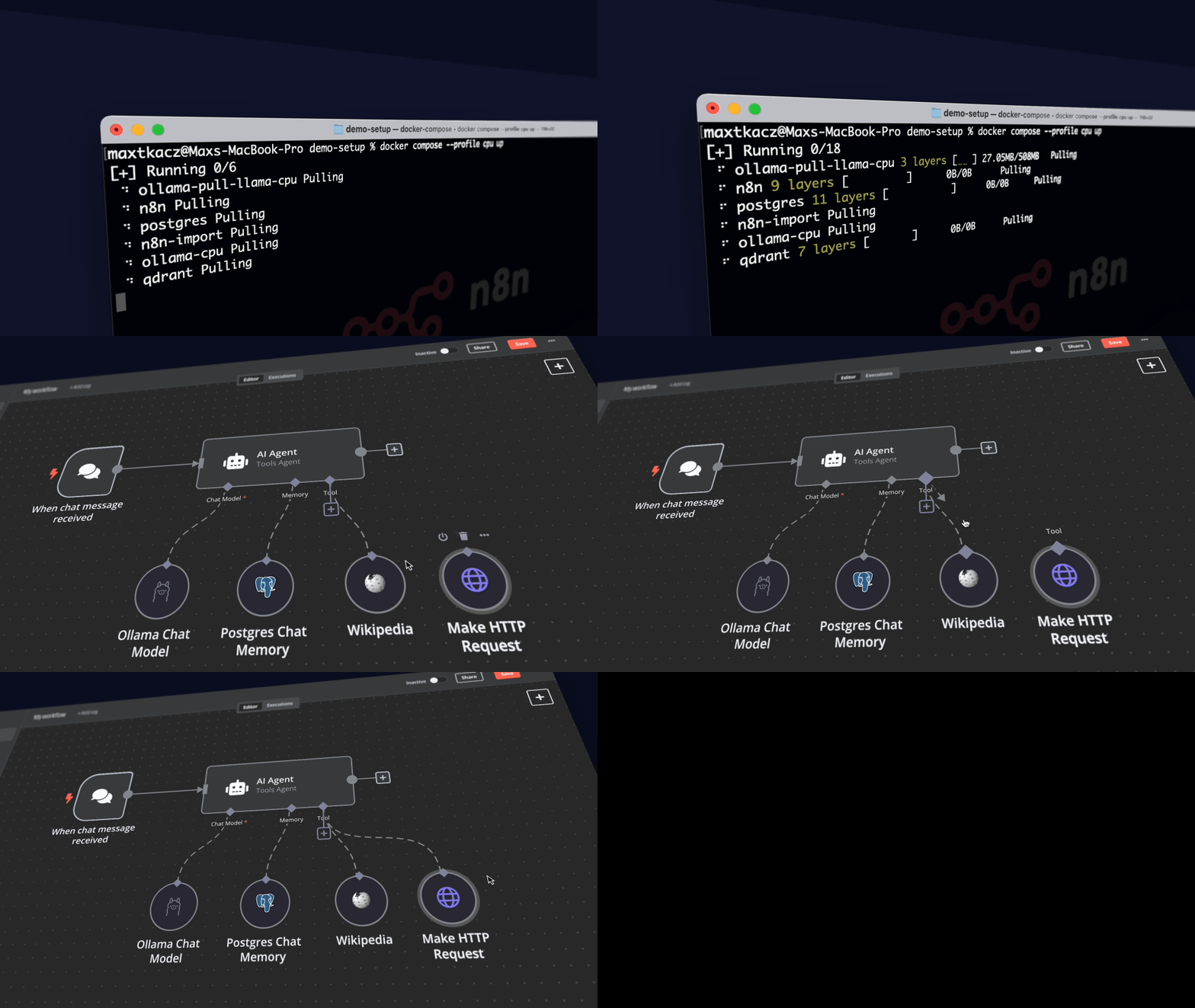
  • Self-hosted n8n for building low-code workflows, AI agents, and integrations across 400+ services.
  • Ollama for running local LLMs such as Llama models without sending prompts to a hosted API.
  • Qdrant as the vector database for retrieval-augmented generation, semantic search, and document embeddings.
  • PostgreSQL for durable workflow data, credentials metadata, and application state.
  • Docker Compose profiles for CPU, Nvidia GPU, and AMD GPU setups.
  • Preconfigured local networking and storage so the core services can talk to each other immediately.
  • Example AI workflow to validate the stack quickly from the n8n UI.

Clear use cases

  • Build a private internal AI assistant that can summarize company PDFs without uploading them to a third-party model provider.
  • Prototype RAG workflows using local documents, Qdrant vector search, and an Ollama-hosted LLM.
  • Create Slack or chat-based ops bots that connect n8n automations with internal tools and knowledge sources.
  • Test AI agents for scheduling, triage, enrichment, or ticket-routing before committing to a production architecture.
  • Run cost-controlled AI experiments on local workstation or server hardware instead of burning API credits during development.

The biggest strength is how quickly it turns “self-hosted AI” from a vague architecture diagram into a working local environment — n8n, Ollama, Qdrant, and PostgreSQL are already assembled into a stack you can run, inspect, and modify. Compared with commercial AI workflow platforms, the key advantage is control: prompts, documents, embeddings, credentials, and workflow logic can stay on your own machine or infrastructure. You still need to harden it for production, but for proof-of-concept work it removes a lot of tedious setup.

This is not a polished enterprise AI platform, and it should not be treated as production-ready out of the box. You will need to manage secrets, backups, authentication, upgrades, model performance, GPU configuration, and external exposure yourself. The Compose setup is excellent for local development and internal demos, but teams planning regulated or high-availability deployments should use it as a reference architecture rather than a final deployment model.

Where it shines is the workflow layer. n8n gives you a visual automation canvas with real integrations, while Ollama and Qdrant make it possible to keep the AI loop local. That makes the kit especially useful for teams trying to answer practical questions: which documents should be indexed, which model is good enough, what latency is acceptable, and where AI actually improves an existing business process.

Best for developers, sysadmins, automation engineers, and IT teams prototyping private AI workflows before designing a hardened production stack.

Topics: the project is tagged with popular topics:

  • 🏷️ ai
  • 🏷️ ai-agents
  • 🏷️ low-code
  • 🏷️ self-hosted
  • 🏷️ starter-kit

Quick install

The project supports Docker Compose:

git clone https://github.com/n8n-io/self-hosted-ai-starter-kit.git
cd self-hosted-ai-starter-kit
docker compose up -d

Check the README in the repo for required env variables.

Minimum system requirements

Component Recommended
RAM 4096 MB
CPU 2 vCPU
Disk 50 GB SSD
OS Ubuntu 22.04 LTS / Debian 12
Docker 24.0+

⚡ Deploy fast on VSIS

Use the VSIS VPS Standard 4GB RAM / 2 vCPU / 50GB SSD (~150k/tháng) plan from VSIS.NET — high-speed VN-based VPS, 24/7 support, ideal for running self-hosted-ai-starter-kit smoothly.

🎯 Benefits:

  • One-command docker compose up -d deploy in 2 minutes
  • Dedicated IPv4, root access, unmetered domestic bandwidth
  • Daily snapshot backup
  • Free install assistance from the VSIS team

👉 See matching VPS plans at vsis.net

Resources


Article compiled from GitHub data on 05/05/2026. Star/fork counts may have changed — see live numbers via the GitHub link.