🔥
HotRepo
Self-host SaaS catalog
uptime-kuma — Self-host A fancy self-hosted monitoring tool
📦
louislam

uptime-kuma — Self-host A fancy self-hosted monitoring tool

A fancy self-hosted monitoring tool

86.2k🍴 7.8kJavaScript📜 mit🐳 Docker Compose#docker#monitor#monitoring#responsive

uptime-kuma

A fancy self-hosted monitoring tool

86,218 stars on GitHub · 🍴 7,777 forks · 📜 License: mit · 💻 Language: JavaScript

What is uptime-kuma?

If you want Uptime Robot-style checks without sending your service map to a SaaS vendor, Uptime Kuma is one of the easiest self-hosted options to recommend. Its differentiator is the combination of a polished reactive UI, broad monitor coverage, and notification support that feels much closer to a commercial product than a weekend script.

Main components

  • HTTP(s), TCP, ping, DNS, WebSocket, keyword, JSON query, push, Docker container, and Steam game server monitors.
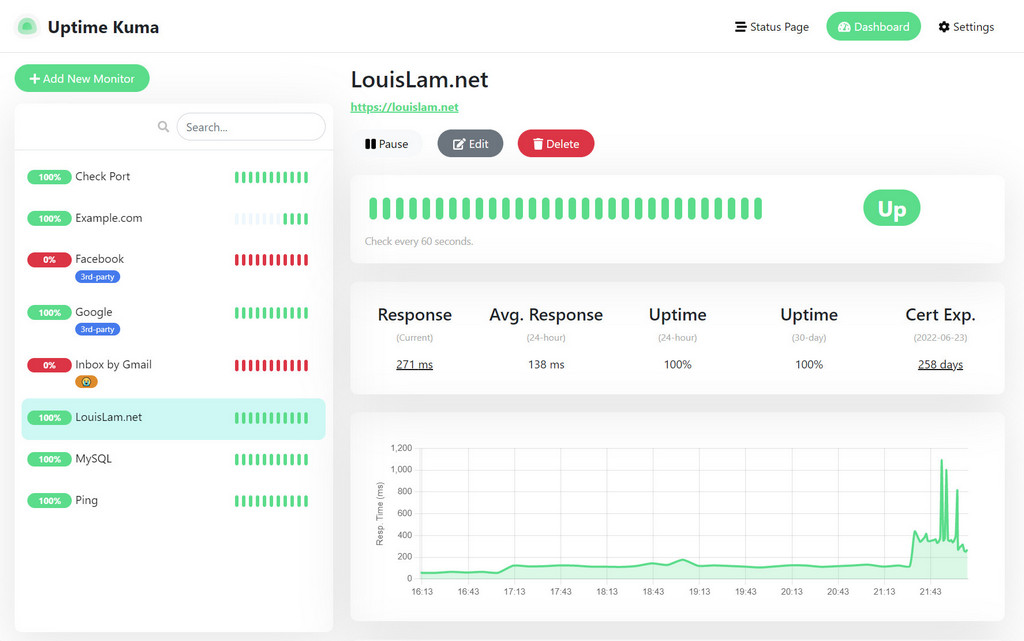
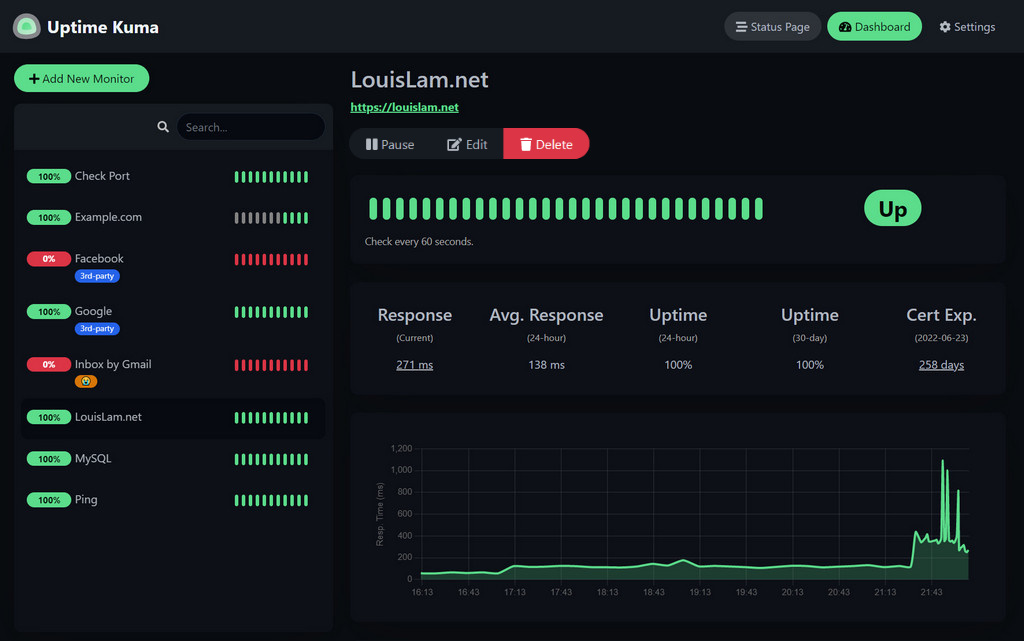
  • Fast single-page dashboard with live updates, ping charts, certificate details, and responsive layouts.
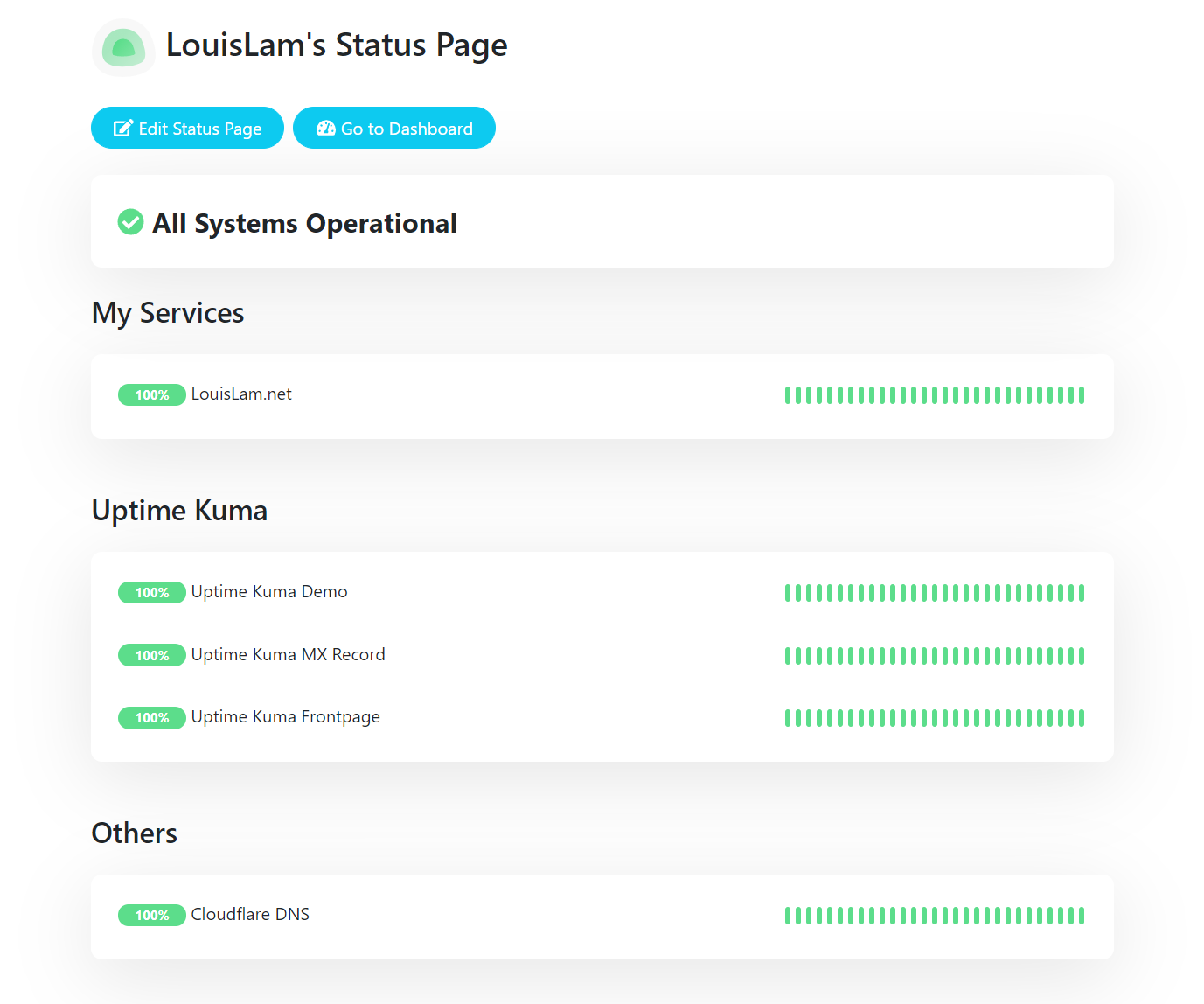
  • Public status pages for sharing service health with users, customers, or internal teams.
  • Custom domains for status pages, so you can publish status.example.com without bolting on another tool.
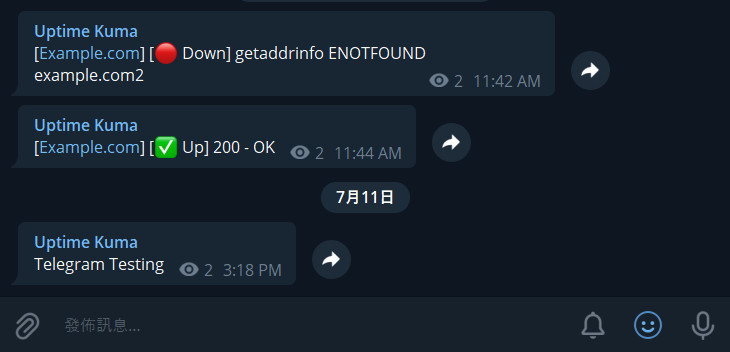
  • Alerting through Telegram, Discord, Slack, Gotify, Pushover, SMTP email, and many other notification providers.
  • Short polling intervals down to 20 seconds for tighter visibility than basic cron-based health checks.
  • Proxy support and 2FA, making it practical to run behind a reverse proxy in a small production setup.

Clear use cases

  • Monitor personal websites, APIs, and homelab services from a small VPS or Docker host.
  • Give a small SaaS, agency, or internal platform a clean public status page without paying for Statuspage or UptimeRobot tiers.
  • Track SSL certificate expiry and basic endpoint latency before users start reporting failures.
  • Send downtime alerts into the channels your team already uses, such as Slack, Discord, Telegram, or email.
  • Watch Docker containers and private services that you do not want exposed to external monitoring providers.

The biggest strength is how little operational overhead it adds — you can run it with a simple Docker Compose setup, point it at your services, and have useful checks, alerts, and status pages within minutes. Compared with commercial uptime monitoring tools, Uptime Kuma gives you more control over data location, private network visibility, and customization, while still keeping the interface friendly enough for non-specialist operators. It is not a full observability platform like Prometheus plus Grafana, but that is the point: it focuses on answering “is it up, and who needs to know?” very well.

Best for sysadmins, homelab operators, small SaaS teams, agencies, and IT managers who need straightforward self-hosted uptime monitoring without building a full monitoring stack.

Topics: the project is tagged with popular topics:

  • 🏷️ docker
  • 🏷️ monitor
  • 🏷️ monitoring
  • 🏷️ responsive
  • 🏷️ self-hosted
  • 🏷️ selfhosted
  • 🏷️ single-page-app
  • 🏷️ socket-io
  • 🏷️ uptime
  • 🏷️ uptime-monitoring

📸 Screenshots

Uptime Kuma Sponsors

Uptime Kuma Light Mode Screenshot of how the Dashboard looks

Uptime Kuma Status Page Screenshot

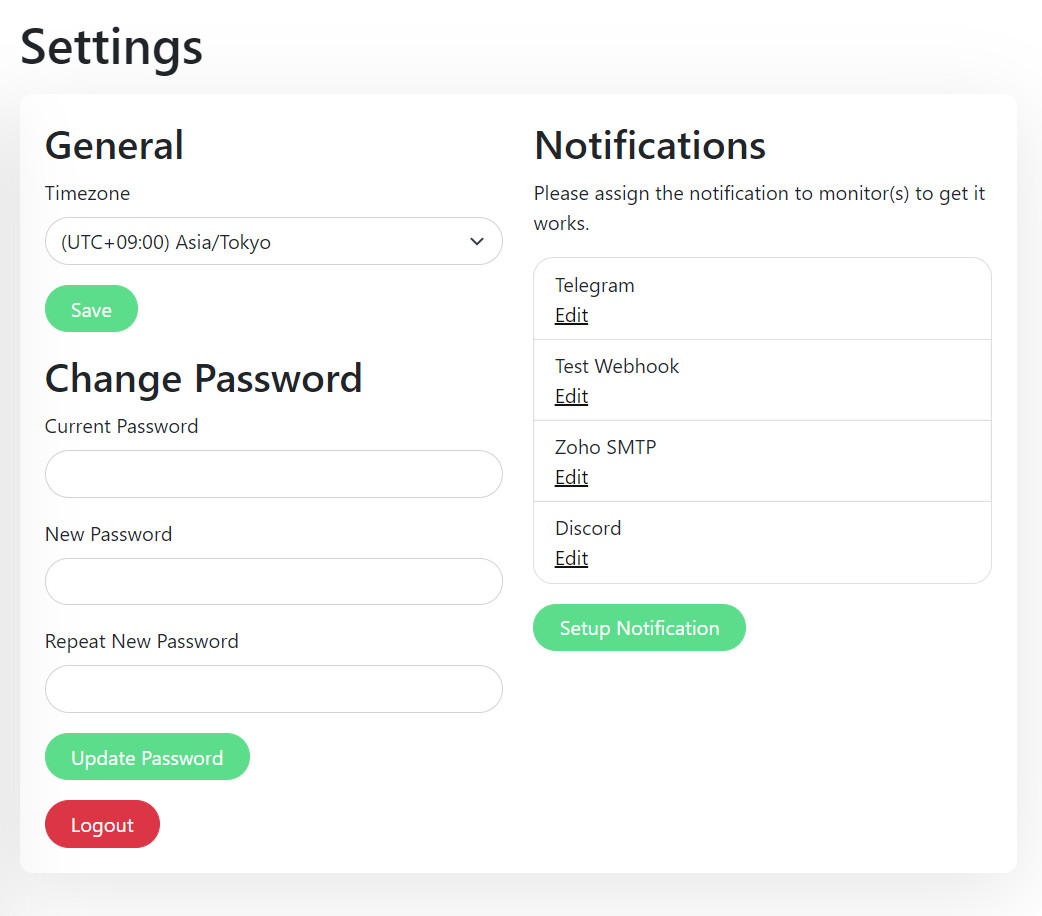
Uptime Kuma Settings Page Screenshot

Uptime Kuma Telegram Notification Sample Screenshot

Quick install

The project supports Docker Compose:

git clone https://github.com/louislam/uptime-kuma.git
cd uptime-kuma
docker compose up -d

Check the README in the repo for required env variables.

Minimum system requirements

Component Recommended
RAM 4096 MB
CPU 2 vCPU
Disk 50 GB SSD
OS Ubuntu 22.04 LTS / Debian 12
Docker 24.0+

⚡ Deploy fast on VSIS

Use the VSIS VPS Standard 4GB RAM / 2 vCPU / 50GB SSD (~150k/tháng) plan from VSIS.NET — high-speed VN-based VPS, 24/7 support, ideal for running uptime-kuma smoothly.

🎯 Benefits:

  • One-command docker compose up -d deploy in 2 minutes
  • Dedicated IPv4, root access, unmetered domestic bandwidth
  • Daily snapshot backup
  • Free install assistance from the VSIS team

👉 See matching VPS plans at vsis.net

Resources


Article compiled from GitHub data on 05/05/2026. Star/fork counts may have changed — see live numbers via the GitHub link.