runtipi
Runtipi is a homeserver for everyone! One command setup, one click installs for your favorites self-hosted apps. ✨
⭐ 9,372 stars on GitHub · 🍴 351 forks · 📜 License: gpl-3.0 · 💻 Language: TypeScript
What is runtipi?
Runtipi takes the “home server app store” idea and makes it practical for people who do not want to hand-write Docker Compose files for every service. Its differentiator is the combination of one-command setup, a clean web UI, and one-click installs for common self-hosted apps.
Main components
- Docker-based homeserver orchestration for running multiple services on one Linux machine.
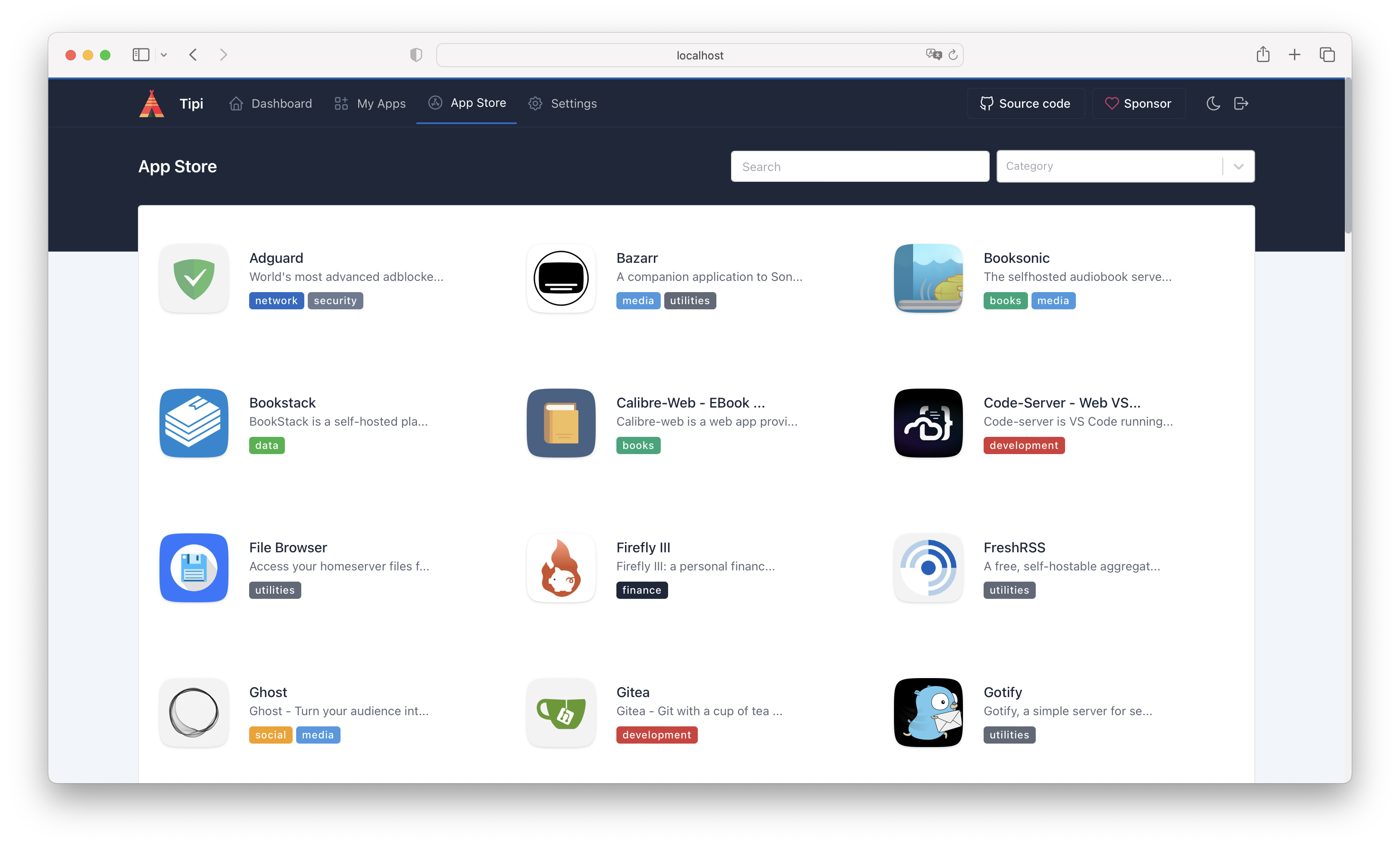
- Web dashboard for installing, updating, starting, stopping, and managing apps.
- Built-in app store with curated self-hosted services, plus support for community app stores.
- Opinionated networking and configuration so you do not have to manually wire up every container.
- TypeScript/NestJS backend with a React frontend, giving it a modern admin-panel feel.
- Contribution flow for adding new apps, useful if your preferred service is not in the default catalog.
Clear use cases
- Turn a spare mini PC, VPS, or old workstation into a personal homeserver without becoming a Docker expert.
- Run common self-hosted apps like media servers, file sync, dashboards, password managers, or productivity tools from one interface.
- Give non-specialist users a safer path into self-hosting than copying random Compose snippets from blog posts.
- Standardize a small lab or family server where apps need to be easy to install, inspect, and remove.
- Experiment with self-hosted software quickly before deciding what deserves a more permanent, manually managed deployment.
Runtipi is strongest when you want convenience without fully giving up ownership. Instead of selling you a hosted SaaS bundle, it gives you a local control plane for Docker apps, with enough abstraction to make day-to-day management approachable. Compared with commercial “private cloud” boxes or managed app platforms, the value is that you keep the server, data, and app choices under your control while still getting an app-store experience.
The biggest strength is lowering the operational barrier to self-hosting — Runtipi hides much of the repetitive container setup while still using standard Docker-based infrastructure underneath. That makes it more transparent and portable than many appliance-style products, but less hands-on than maintaining raw Compose stacks yourself. The trade-off is worth noting: it is volunteer-maintained and in active development, so you should not treat it as a guaranteed-support platform for critical production workloads without your own backup and update discipline.
Best for home lab users, privacy-conscious households, and IT generalists who want a simple self-hosted app platform on Linux without managing every container by hand.
Topics: the project is tagged with popular topics:
- 🏷️
homeserver - 🏷️
linux - 🏷️
self-hosted
📸 Screenshots

Quick install
See the README for detailed install instructions. Most projects support Docker — if the repo has a Dockerfile, use:
git clone https://github.com/runtipi/runtipi.git
cd runtipi
docker build -t runtipi .
docker run -d -p 8080:8080 runtipi
Minimum system requirements
| Component | Recommended |
|---|---|
| RAM | 1024 MB |
| CPU | 1 vCPU |
| Disk | 15 GB SSD |
| OS | Ubuntu 22.04 LTS / Debian 12 |
| Docker | 24.0+ |
⚡ Deploy fast on VSIS
Use the VSIS VPS Mini 1GB RAM / 1 vCPU / 15GB SSD (~70k/tháng) plan from VSIS.NET — high-speed VN-based VPS, 24/7 support, ideal for running runtipi smoothly.
🎯 Benefits:
- One-command
docker compose up -ddeploy in 2 minutes - Dedicated IPv4, root access, unmetered domestic bandwidth
- Daily snapshot backup
- Free install assistance from the VSIS team
👉 See matching VPS plans at vsis.net
Resources
- 🔗 GitHub: runtipi/runtipi
- 🌐 Homepage: https://www.runtipi.io/
- 📚 Official docs: see README in the repo
- 💬 Community: GitHub Issues + Discussions
Article compiled from GitHub data on 05/05/2026. Star/fork counts may have changed — see live numbers via the GitHub link.
