🔥
HotRepo
omni-tools — Self-host Self-hosted collection of powerful web-based tools for everyday tasks. No ads, n
📦
iib0011

omni-tools — Self-host Self-hosted collection of powerful web-based tools for everyday tasks. No ads, n

Self-hosted collection of powerful web-based tools for everyday tasks. No ads, no tracking, just fast, accessible utilities right from your browser!

9.6k🍴 642TypeScript📜 mit#alternative#converter#data-manipulation#developer-tools

omni-tools

Self-hosted collection of powerful web-based tools for everyday tasks. No ads, no tracking, just fast, accessible utilities right from your browser!

9,456 stars on GitHub · 🍴 631 forks · 📜 License: mit · 💻 Language: TypeScript

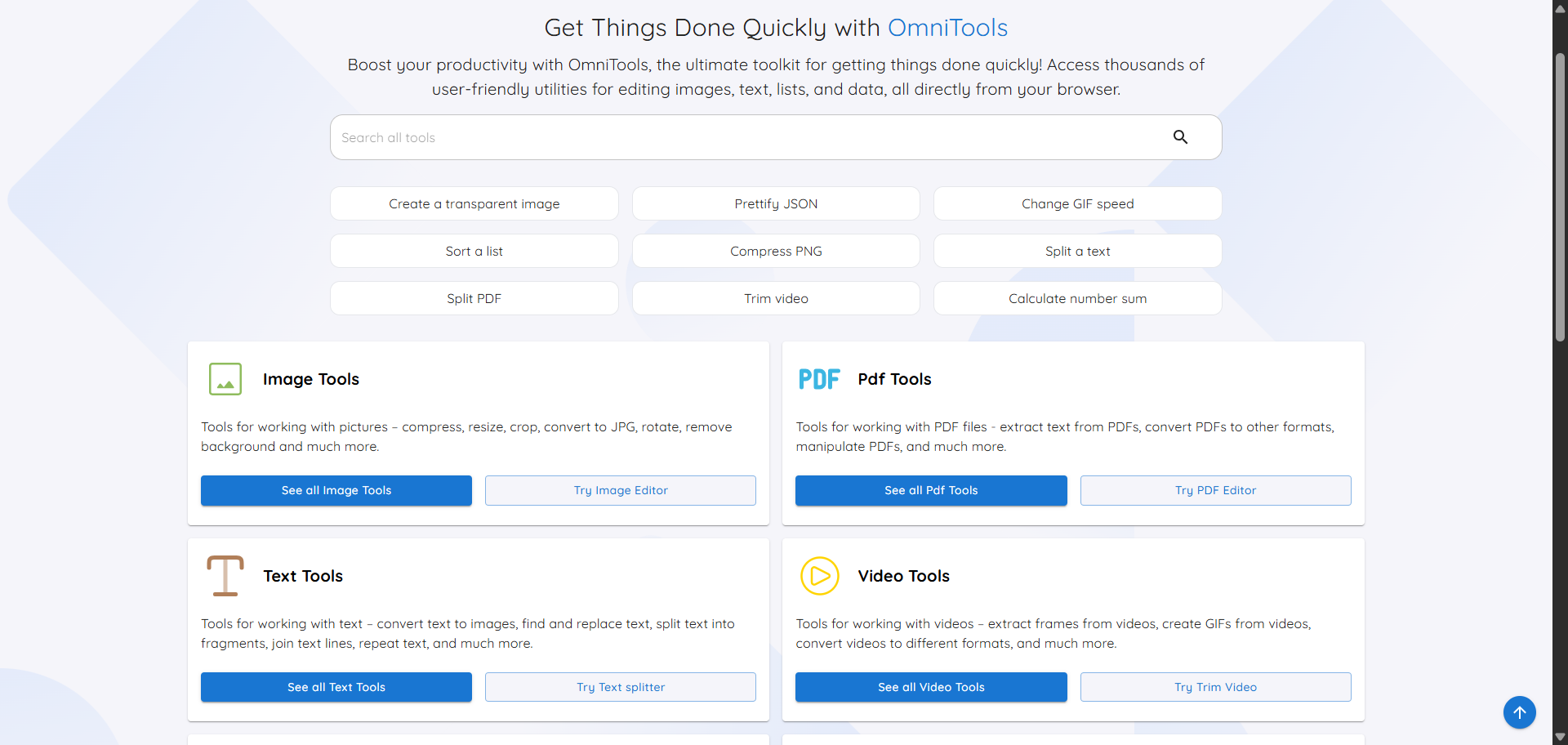
What is omni-tools?

A self-hosted alternative to random utility websites, omni-tools puts common converters, editors, and data helpers behind one browser-based UI. Its key differentiator is privacy: files are processed client-side, so uploads do not leave the user’s device.

Main components

  • Browser-based toolbox for everyday file, text, data, date/time, and math operations.
  • Client-side processing for files, designed to avoid server-side upload/storage risks.
  • Image tools including resizing, conversion, and basic editing.
  • Video and audio utilities such as trimming and reversing.
  • PDF tools for splitting, merging, and editing documents.
  • Developer-friendly data tools for JSON, CSV, XML, text formatting, and list manipulation.
  • Lightweight Docker deployment, with a small image and a simple single-container setup.

Clear use cases

  • Replace ad-heavy online converter sites with an internal, self-hosted utility portal.
  • Give support, ops, or admin teams a safe place to resize images, merge PDFs, and format text without using public web tools.
  • Run a private toolbox on a homelab, NAS, VPS, or internal Docker host for quick daily tasks.
  • Provide developers with browser-accessible JSON, CSV, XML, and text utilities without installing desktop apps.
  • Offer non-technical users a clean web UI for common file manipulations while keeping data local to their browser.

The biggest strength is private, low-friction utility consolidation — omni-tools takes the kind of one-off tasks people usually solve with questionable SaaS sites and moves them into a self-hosted interface. Compared with commercial online converters, the value is not advanced enterprise workflow management; it is control, speed, and fewer privacy compromises for routine operations.

It is still a broad toolbox rather than a deep specialist app. If you need production-grade media processing pipelines, OCR-heavy document automation, or granular enterprise permissions, you will probably want dedicated tools. But for the common “I just need to convert, trim, split, format, or calculate this” workload, it covers a lot of ground with very little operational overhead.

Best for homelab users, IT teams, developers, schools, and privacy-conscious organizations that want a simple internal replacement for public utility websites.

Topics: the project is tagged with popular topics:

  • 🏷️ alternative
  • 🏷️ converter
  • 🏷️ data-manipulation
  • 🏷️ developer-tools
  • 🏷️ devtools
  • 🏷️ frontend
  • 🏷️ good-first-issue
  • 🏷️ image-manipulation
  • 🏷️ image-processing
  • 🏷️ javascript

📸 Screenshots

omni-tools

iib0011%2Fomni-tools | Trendshift

omni-tools

omni-tools

Quick install

See the README for detailed install instructions. Most projects support Docker — if the repo has a Dockerfile, use:

git clone https://github.com/iib0011/omni-tools.git
cd omni-tools
docker build -t omni-tools .
docker run -d -p 8080:8080 omni-tools

Minimum system requirements

Component Recommended
RAM 1024 MB
CPU 1 vCPU
Disk 15 GB SSD
OS Ubuntu 22.04 LTS / Debian 12
Docker 24.0+

⚡ Deploy fast on VSIS

Use the VSIS VPS Mini 1GB RAM / 1 vCPU / 15GB SSD (~70k/tháng) plan from VSIS.NET — high-speed VN-based VPS, 24/7 support, ideal for running omni-tools smoothly.

🎯 Benefits:

  • One-command docker compose up -d deploy in 2 minutes
  • Dedicated IPv4, root access, unmetered domestic bandwidth
  • Daily snapshot backup
  • Free install assistance from the VSIS team

👉 See matching VPS plans at vsis.net

Resources


Article compiled from GitHub data on 05/05/2026. Star/fork counts may have changed — see live numbers via the GitHub link.