🔥
HotRepo
nitter — Self-host Alternative Twitter front-end
📦
zedeus

nitter — Self-host Alternative Twitter front-end

Alternative Twitter front-end

13.0k🍴 732Nim📜 agpl-3.0🐳 Docker Compose#nim#privacy#self-hosted#twitter

nitter

Alternative Twitter front-end

12,877 stars on GitHub · 🍴 731 forks · 📜 License: agpl-3.0 · 💻 Language: Nim

What is nitter?

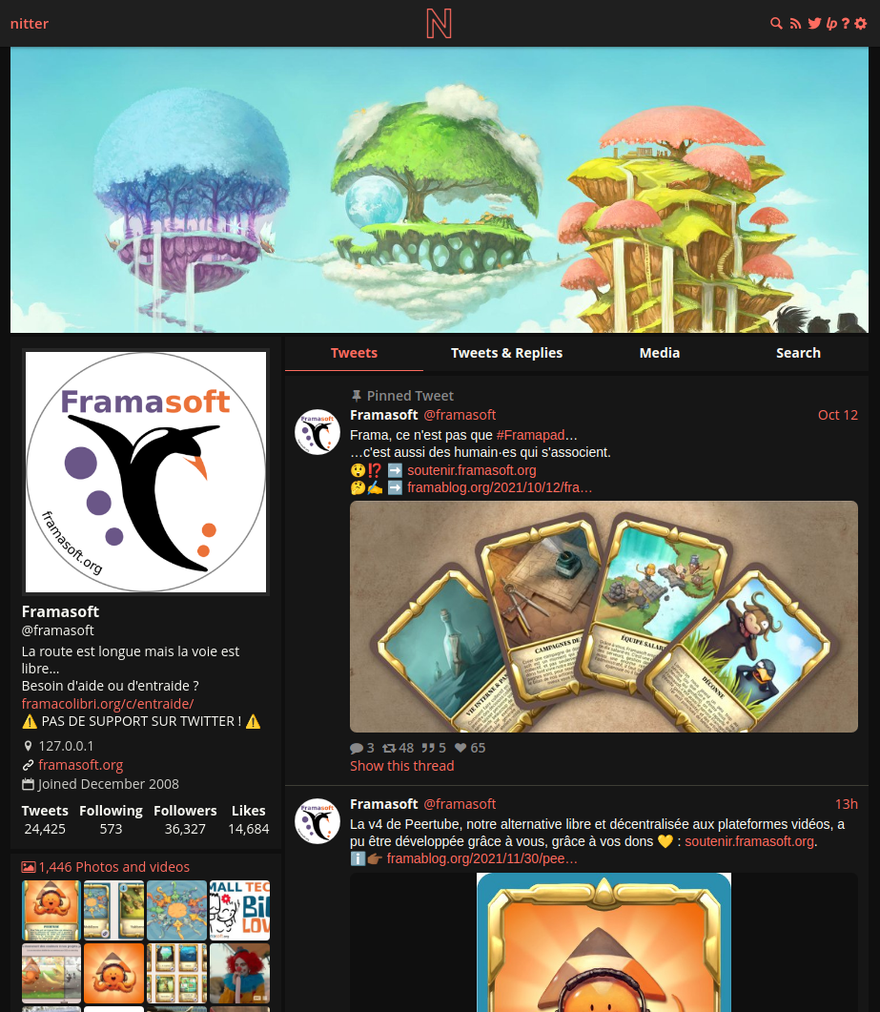
A privacy-first Twitter/X frontend for people who want to read public content without loading Twitter’s heavy web app, ads, or tracking scripts. Its key differentiator is simple: the browser talks to your Nitter instance, not to Twitter/X.

Main components

  • Lightweight web frontend for browsing Twitter/X profiles, tweets, threads, and timelines.
  • Backend proxy that fetches data from Twitter’s unofficial API and serves clean HTML to users.
  • No client-side JavaScript, ads, or Twitter-hosted tracking assets.
  • RSS feed support for following accounts without a Twitter/X account.
  • Responsive mobile-friendly UI with theme support.
  • Redis or Valkey-backed caching for faster repeated access and lower upstream load.
  • Self-hostable deployment via Nim build or Docker, typically behind Nginx or Apache.

Clear use cases

  • Read public Twitter/X profiles from a browser with JavaScript disabled.
  • Provide a private internal Twitter/X viewing gateway for a team or organization.
  • Subscribe to Twitter/X accounts through RSS instead of using the official app.
  • Run a lightweight frontend on a VPS for faster access on low-power devices or slow networks.
  • Reduce exposure to Twitter/X tracking, fingerprinting, ads, and forced sign-in flows.

Nitter is one of the clearest examples of a self-hosted frontend doing one job well: stripping a hostile, bloated social platform down to readable pages. It serves dramatically lighter pages than twitter.com, avoids client-side JavaScript entirely, and keeps Twitter/X from seeing each visitor’s IP address or browser fingerprint directly. For sysadmins, the deployment model is straightforward enough — a Nim service plus Redis/Valkey, usually fronted by a reverse proxy — but it is not completely maintenance-free.

The major caveat is reliability. Since Twitter/X removed older unauthenticated access paths, running an instance now requires real account session tokens, which adds operational friction and creates an obvious dependency on a platform that actively breaks third-party access. That does not affect end users of your instance directly, but it matters if you are the one keeping it online. Public instances can also attract abuse or rate-limit pressure, so private or small-community deployments are the more realistic fit.

The biggest strength is privacy-preserving readability — Nitter gives users a clean way to view Twitter/X content without accepting the official site’s tracking-heavy web experience. Compared with commercial social media clients, it is not trying to be a full engagement platform with posting, DMs, recommendations, or analytics; its value is refusing all of that and focusing on fast, anonymous-ish consumption of public content.

Best for privacy-conscious individuals, small teams, researchers, journalists, and sysadmins who need a lightweight read-only Twitter/X frontend and are comfortable maintaining session-token-based access.

Topics: the project is tagged with popular topics:

  • 🏷️ nim
  • 🏷️ privacy
  • 🏷️ self-hosted
  • 🏷️ twitter
  • 🏷️ x

Quick install

The project supports Docker Compose:

git clone https://github.com/zedeus/nitter.git
cd nitter
docker compose up -d

Check the README in the repo for required env variables.

Minimum system requirements

Component Recommended
RAM 1024 MB
CPU 1 vCPU
Disk 15 GB SSD
OS Ubuntu 22.04 LTS / Debian 12
Docker 24.0+

⚡ Deploy fast on VSIS

Use the VSIS VPS Mini 1GB RAM / 1 vCPU / 15GB SSD (~70k/tháng) plan from VSIS.NET — high-speed VN-based VPS, 24/7 support, ideal for running nitter smoothly.

🎯 Benefits:

  • One-command docker compose up -d deploy in 2 minutes
  • Dedicated IPv4, root access, unmetered domestic bandwidth
  • Daily snapshot backup
  • Free install assistance from the VSIS team

👉 See matching VPS plans at vsis.net

Resources


Article compiled from GitHub data on 05/05/2026. Star/fork counts may have changed — see live numbers via the GitHub link.