nginx-ui
Yet another WebUI for Nginx
⭐ 11,111 stars on GitHub · 🍴 826 forks · 📜 License: agpl-3.0 · 💻 Language: Go
What is nginx-ui?
Managing Nginx by hand is powerful, but it gets messy fast once you have multiple vhosts, certificates, reloads, and config edits to track. nginx-ui gives you a self-hosted web interface for Nginx that keeps the familiar server model while making day-to-day administration less error-prone.
Main components
- Web-based Nginx configuration management for editing and organizing server blocks.
- Built-in support for Let’s Encrypt certificate workflows.
- Docker-friendly deployment for running the UI alongside existing infrastructure.
- Go backend, which keeps the service relatively easy to package and operate.
- Cron-related automation hooks for recurring maintenance tasks.
- AI-related tooling topics around ChatGPT, DeepSeek, Copilot-style assistance, and code completion.
Clear use cases
- Manage Nginx virtual hosts from a browser without SSHing into the server for every small change.
- Set up and renew HTTPS certificates for personal sites, internal tools, or customer-facing apps.
- Give a small ops team a shared interface for reviewing and updating Nginx configs.
- Run a lightweight control panel for reverse proxies in a homelab or VPS environment.
- Standardize Nginx administration across several simple web services without adopting a full hosting panel.
The biggest strength is focused Nginx administration without the weight of a full control panel — you get a dedicated UI for the part many admins actually need: configs, sites, certificates, and safe operational workflows. Compared with commercial hosting panels, nginx-ui is better suited when you already know your stack and want control rather than a bundled mail/database/DNS suite. It is not trying to replace cPanel or Plesk; that restraint is the point.
The trade-off is that you still need to understand Nginx. A UI can reduce repetitive editing and make certificate handling smoother, but it will not save you from bad proxy headers, broken upstream assumptions, or careless reloads. For teams that want guardrails around Nginx rather than a black-box appliance, that is a reasonable compromise.
Best for sysadmins, DevOps engineers, homelab users, and small teams running Nginx on VPS or Docker hosts who want a clean self-hosted UI without buying into a full hosting platform.
Topics: the project is tagged with popular topics:
- 🏷️
chatgpt-app - 🏷️
code-completion - 🏷️
copilot - 🏷️
cron - 🏷️
deepseek-r1 - 🏷️
docker - 🏷️
go - 🏷️
letsencrypt - 🏷️
linux - 🏷️
macos
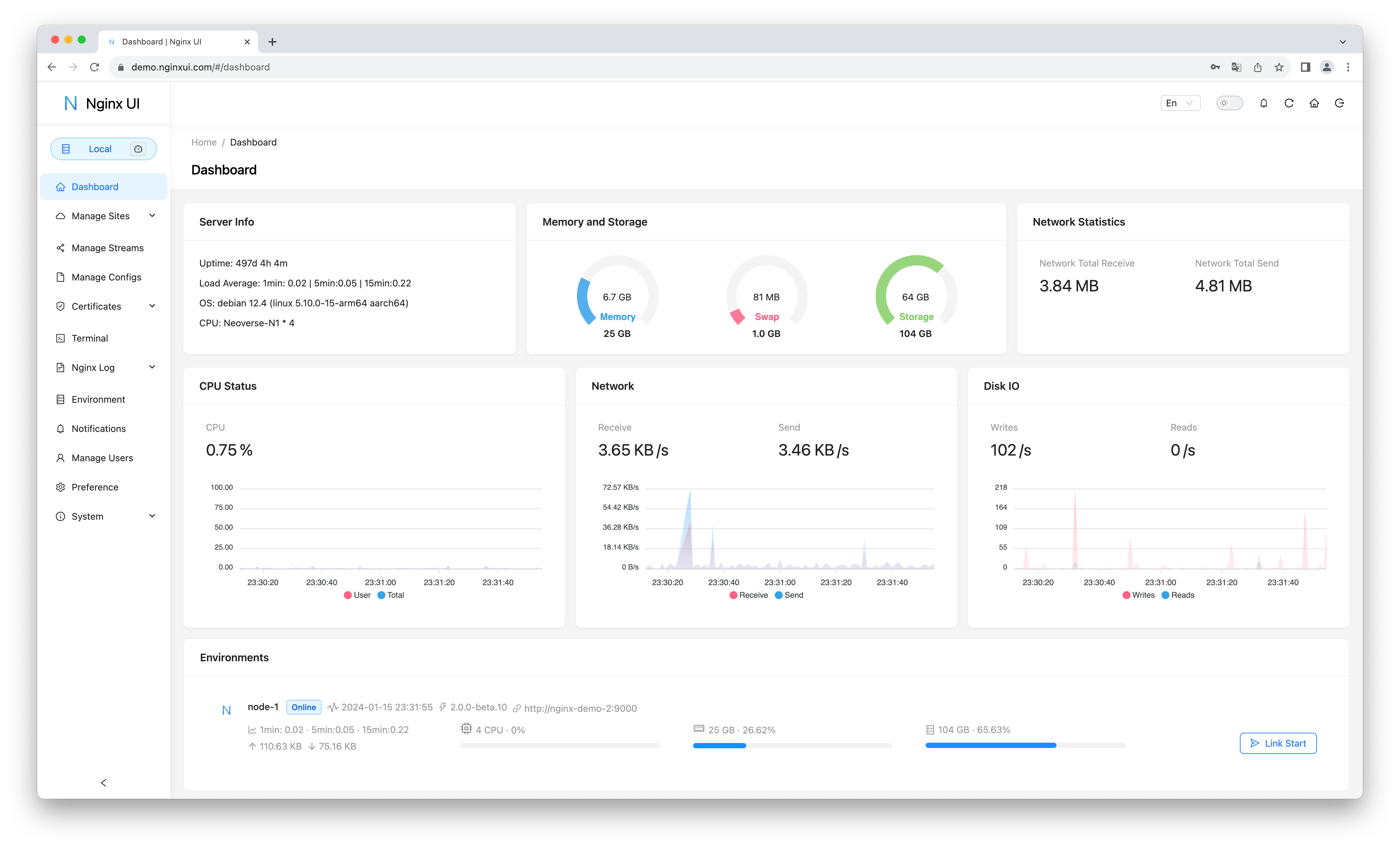
📸 Screenshots


Quick install
See the README for detailed install instructions. Most projects support Docker — if the repo has a Dockerfile, use:
git clone https://github.com/0xJacky/nginx-ui.git
cd nginx-ui
docker build -t nginx-ui .
docker run -d -p 8080:8080 nginx-ui
Minimum system requirements
| Component | Recommended |
|---|---|
| RAM | 2048 MB |
| CPU | 2 vCPU |
| Disk | 25 GB SSD |
| OS | Ubuntu 22.04 LTS / Debian 12 |
| Docker | 24.0+ |
⚡ Deploy fast on VSIS
Use the VSIS VPS Lite 2GB RAM / 2 vCPU / 25GB SSD (~104k/tháng) plan from VSIS.NET — high-speed VN-based VPS, 24/7 support, ideal for running nginx-ui smoothly.
🎯 Benefits:
- One-command
docker compose up -ddeploy in 2 minutes - Dedicated IPv4, root access, unmetered domestic bandwidth
- Daily snapshot backup
- Free install assistance from the VSIS team
👉 See matching VPS plans at vsis.net
Resources
- 🔗 GitHub: 0xJacky/nginx-ui
- 🌐 Homepage: https://nginxui.com
- 📚 Official docs: see README in the repo
- 💬 Community: GitHub Issues + Discussions
Article compiled from GitHub data on 05/05/2026. Star/fork counts may have changed — see live numbers via the GitHub link.