
neko
A self hosted virtual browser that runs in docker and uses WebRTC.
⭐ 22,168 stars on GitHub · 🍴 1,603 forks · 📜 License: apache-2.0 · 💻 Language: Go
What is neko?
Streaming a full desktop environment directly to a web client usually means wrestling with clunky VNC setups, high-latency RDP gateways, or expensive SaaS platforms. By wrapping a Linux desktop inside a Docker container and streaming the
Topics: the project is tagged with popular topics:
- 🏷️
docker - 🏷️
golang - 🏷️
media-streaming - 🏷️
remote-control - 🏷️
remote-desktop - 🏷️
self-hosted - 🏷️
virtual-browser - 🏷️
vue - 🏷️
webrtc
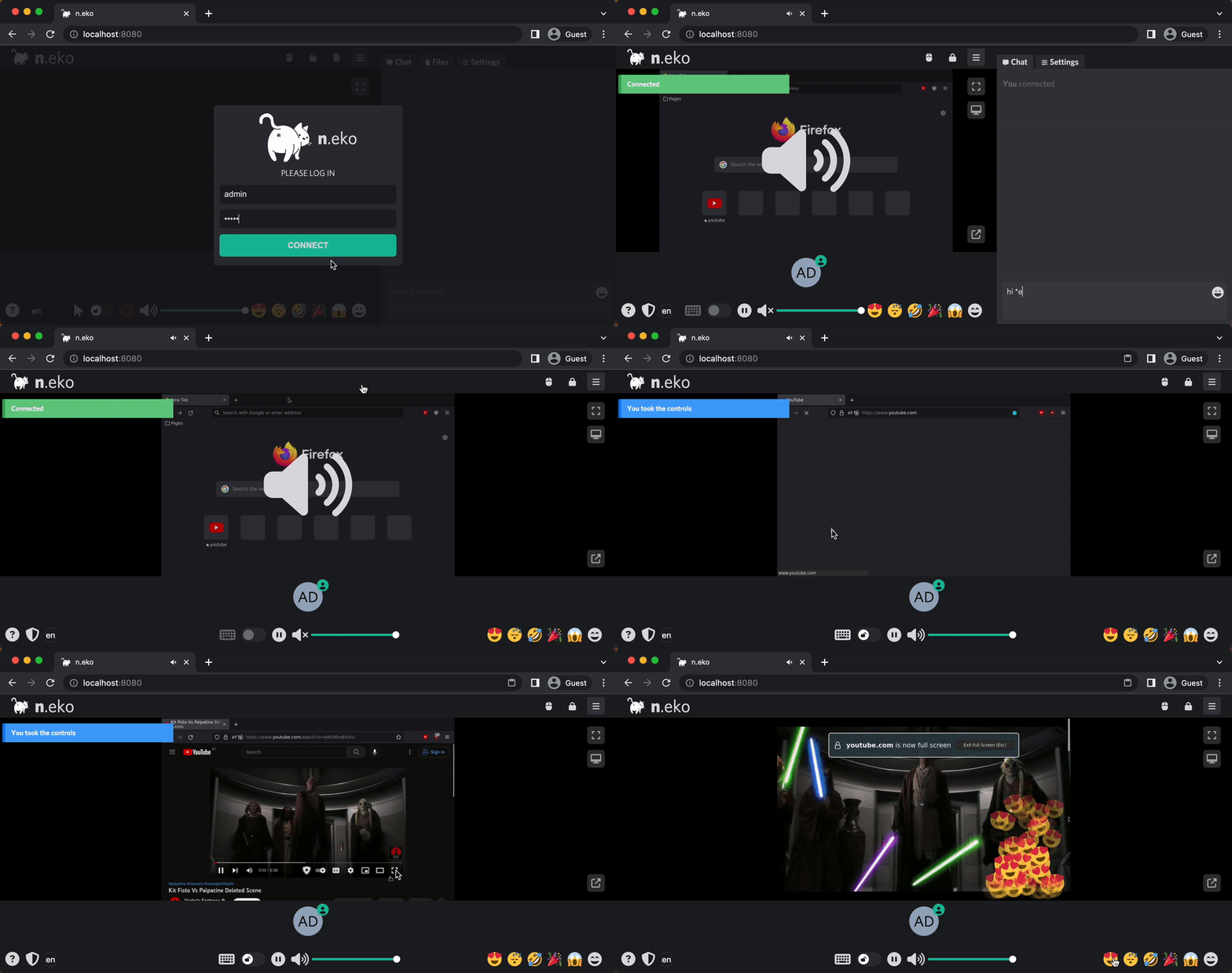
📸 Screenshots

Quick install
The project supports Docker Compose:
git clone https://github.com/m1k1o/neko.git
cd neko
docker compose up -d
Check the README in the repo for required env variables.
Minimum system requirements
| Component | Recommended |
|---|---|
| RAM | 2048 MB |
| CPU | 2 vCPU |
| Disk | 25 GB SSD |
| OS | Ubuntu 22.04 LTS / Debian 12 |
| Docker | 24.0+ |
⚡ Deploy fast on VSIS
Use the VSIS VPS Lite 2GB RAM / 2 vCPU / 25GB SSD (~104k/tháng) plan from VSIS.NET — high-speed VN-based VPS, 24/7 support, ideal for running neko smoothly.
🎯 Benefits:
- One-command
docker compose up -ddeploy in 2 minutes - Dedicated IPv4, root access, unmetered domestic bandwidth
- Daily snapshot backup
- Free install assistance from the VSIS team
👉 See matching VPS plans at vsis.net
Resources
- 🔗 GitHub: m1k1o/neko
- 🌐 Homepage: https://neko.m1k1o.net/
- 📚 Official docs: see README in the repo
- 💬 Community: GitHub Issues + Discussions
Article compiled from GitHub data on 22/08/2026. Star/fork counts may have changed — see live numbers via the GitHub link.