homelable
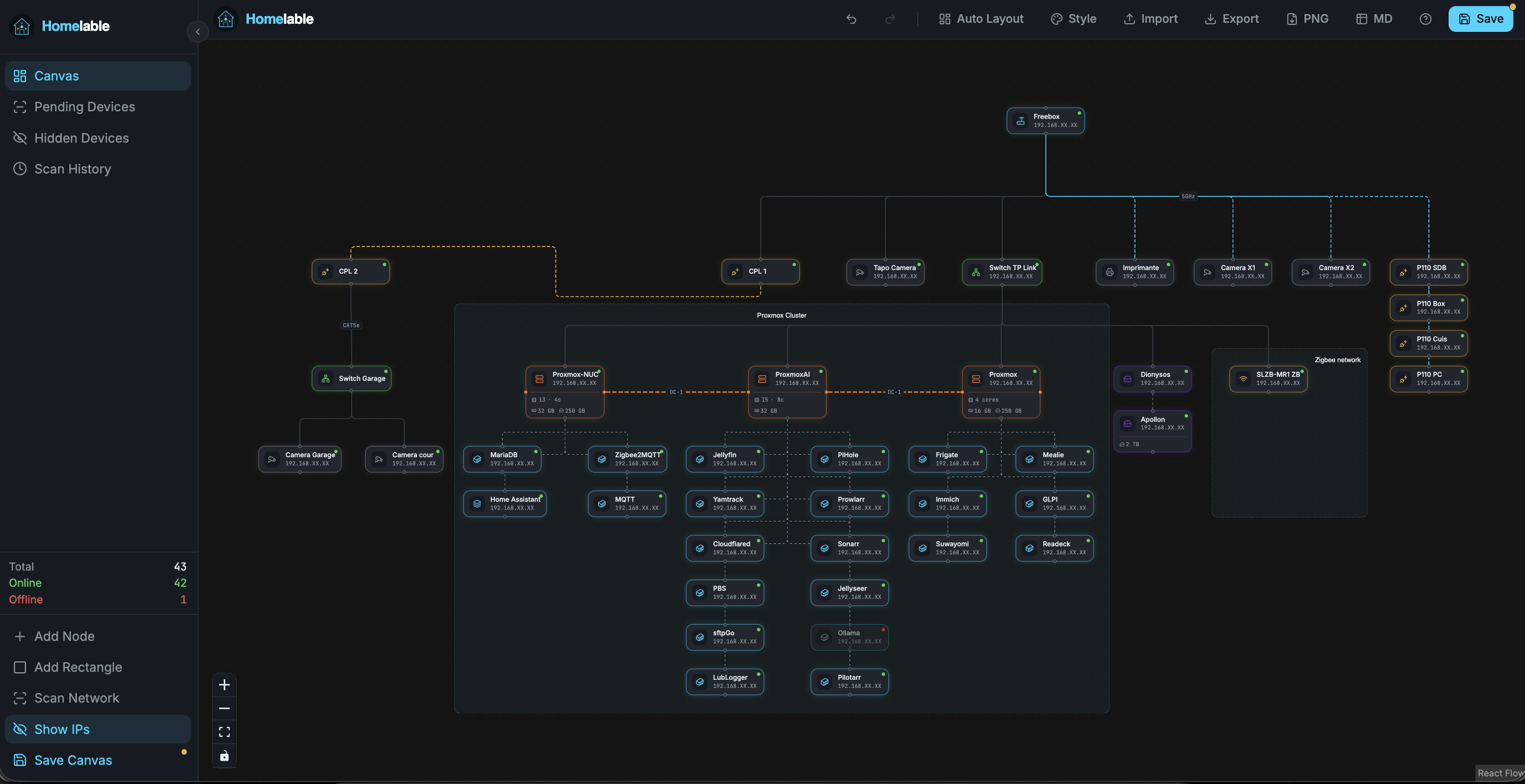
Self-hosted homelab infrastructure visualizer — interactive network diagram with live status monitoring
⭐ 4,458 stars on GitHub · 🍴 198 forks · 📜 License: mit · 💻 Language: TypeScript
What is homelable?
A unified dashboard for self-hosted services. One URL to access everything — pretty, lightweight, highly customizable.
The biggest strength is one bookmark to rule them all — replace dozens of management tabs.
Best for anyone running >5 self-host services wanting a unified, pretty status page.
Topics: the project is tagged with popular topics:
- 🏷️
diagram - 🏷️
homelab - 🏷️
homelab-infrastructure-observability - 🏷️
network - 🏷️
proxmox-ve - 🏷️
self-hosted - 🏷️
zigbee - 🏷️
zwave - 🏷️
zwave-js
📸 Screenshots
Quick install
The project supports Docker Compose:
git clone https://github.com/Pouzor/homelable.git
cd homelable
docker compose up -d
Check the README in the repo for required env variables.
Minimum system requirements
| Component | Recommended |
|---|---|
| RAM | 1024 MB |
| CPU | 1 vCPU |
| Disk | 15 GB SSD |
| OS | Ubuntu 22.04 LTS / Debian 12 |
| Docker | 24.0+ |
⚡ Deploy fast on VSIS
Use the VSIS VPS Mini 1GB RAM / 1 vCPU / 15GB SSD (~70k/tháng) plan from VSIS.NET — high-speed VN-based VPS, 24/7 support, ideal for running homelable smoothly.
🎯 Benefits:
- One-command
docker compose up -ddeploy in 2 minutes - Dedicated IPv4, root access, unmetered domestic bandwidth
- Daily snapshot backup
- Free install assistance from the VSIS team
👉 See matching VPS plans at vsis.net
Resources
- 🔗 GitHub: Pouzor/homelable
- 🌐 Homepage: https://homelable.net
- 📚 Official docs: see README in the repo
- 💬 Community: GitHub Issues + Discussions
Article compiled from GitHub data on 20/10/2026. Star/fork counts may have changed — see live numbers via the GitHub link.