🔥
HotRepo
feishin — Self-host A modern self-hosted music player.
📦
jeffvli

feishin — Self-host A modern self-hosted music player.

A modern self-hosted music player.

8.6k🍴 413TypeScript📜 gpl-3.0🐳 Docker Compose#jellyfin#music-player#navidrome#self-hosted

feishin

A modern self-hosted music player.

8,242 stars on GitHub · 🍴 381 forks · 📜 License: gpl-3.0 · 💻 Language: TypeScript

What is feishin?

If your music library already lives in Jellyfin, Navidrome, or another Subsonic-compatible server, Feishin gives you a polished desktop-style player without handing your listening habits to Spotify or Apple. Its differentiator is simple: it focuses on being a serious client for self-hosted music backends, not an all-in-one media server.

Main components

  • Desktop client with MPV and web playback backends for local-app performance.
  • Web client and Docker image for browser-based access on a LAN or behind a reverse proxy.
  • Support for Jellyfin, Navidrome, Subsonic, and OpenSubsonic-compatible music servers.
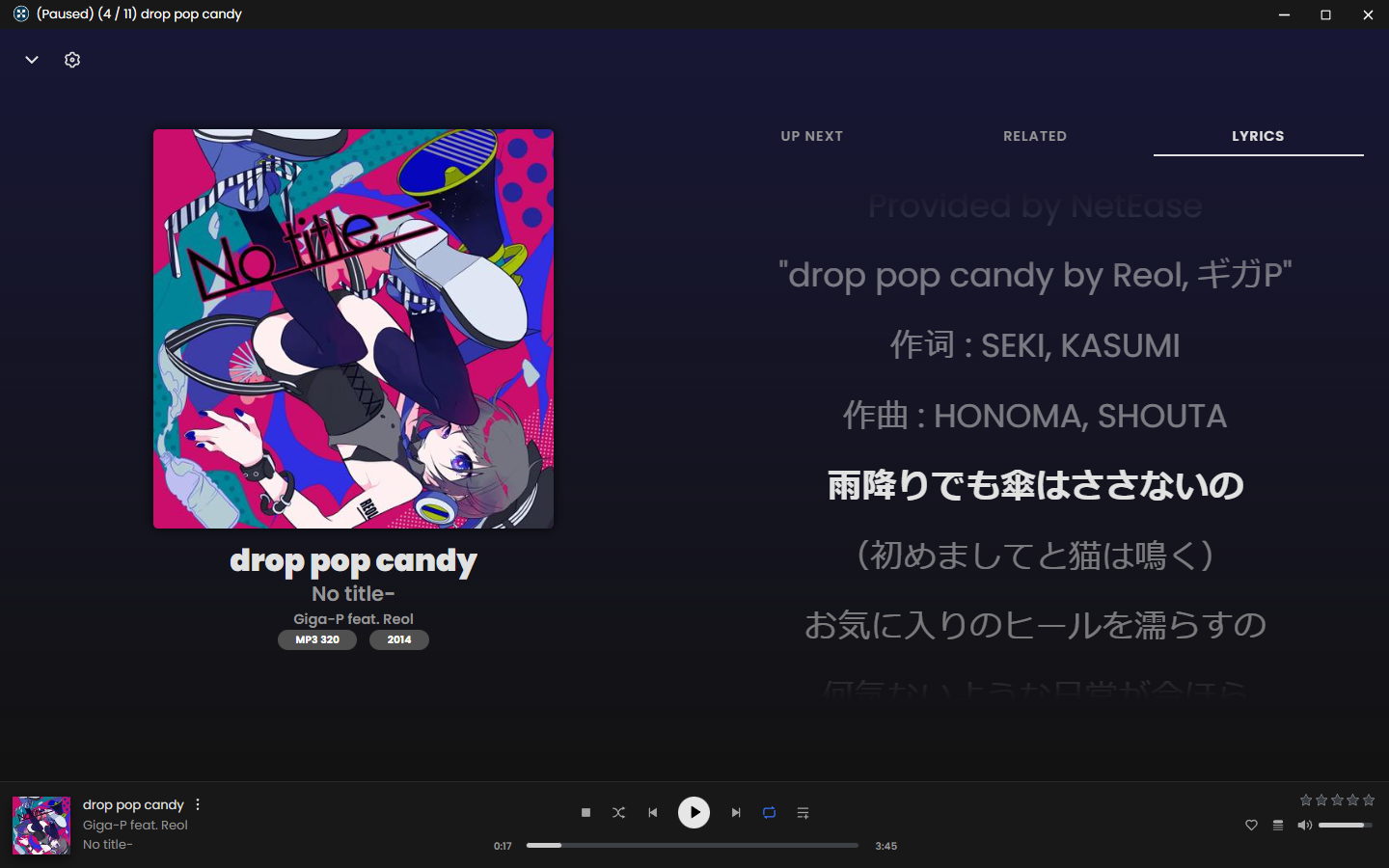
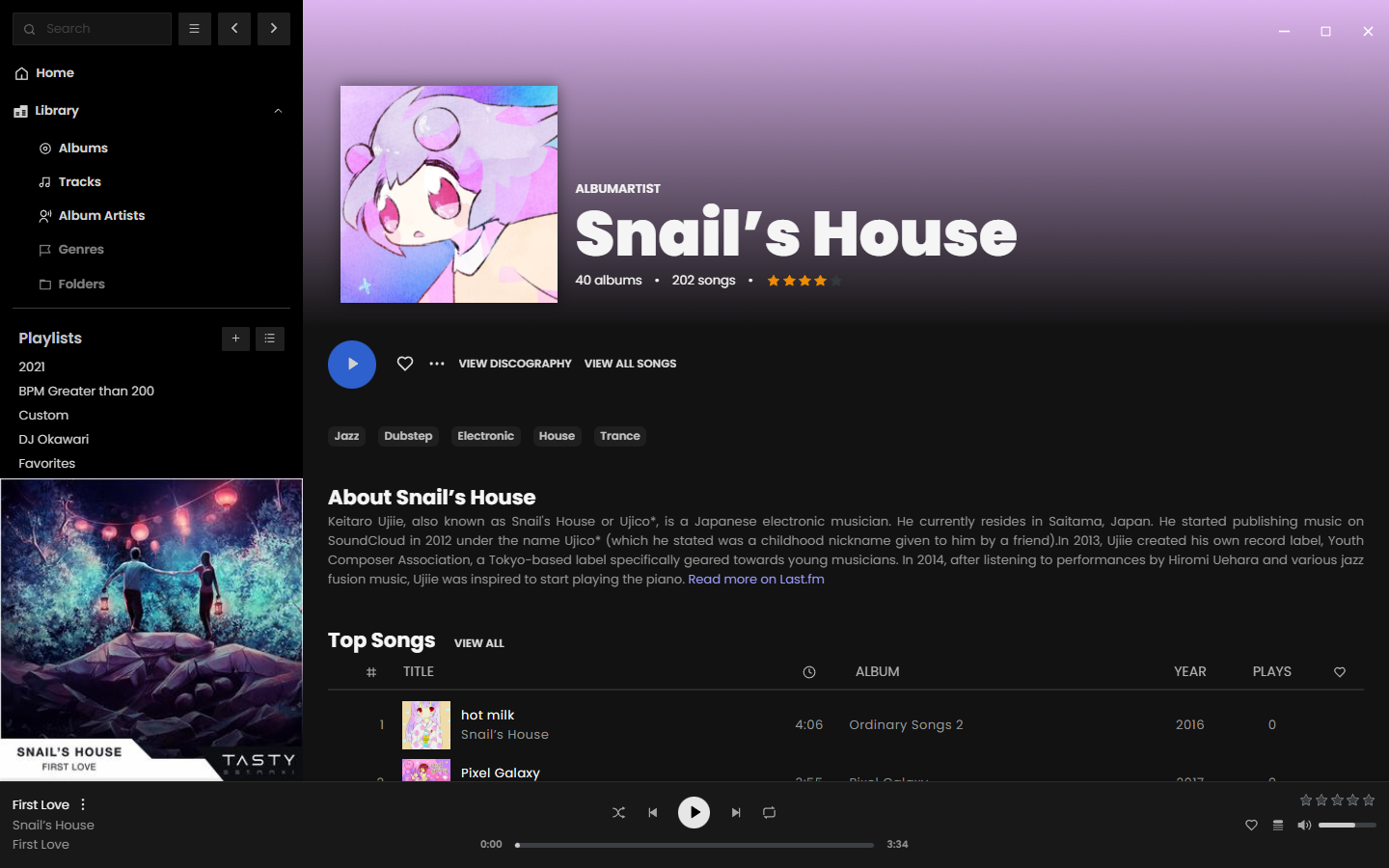
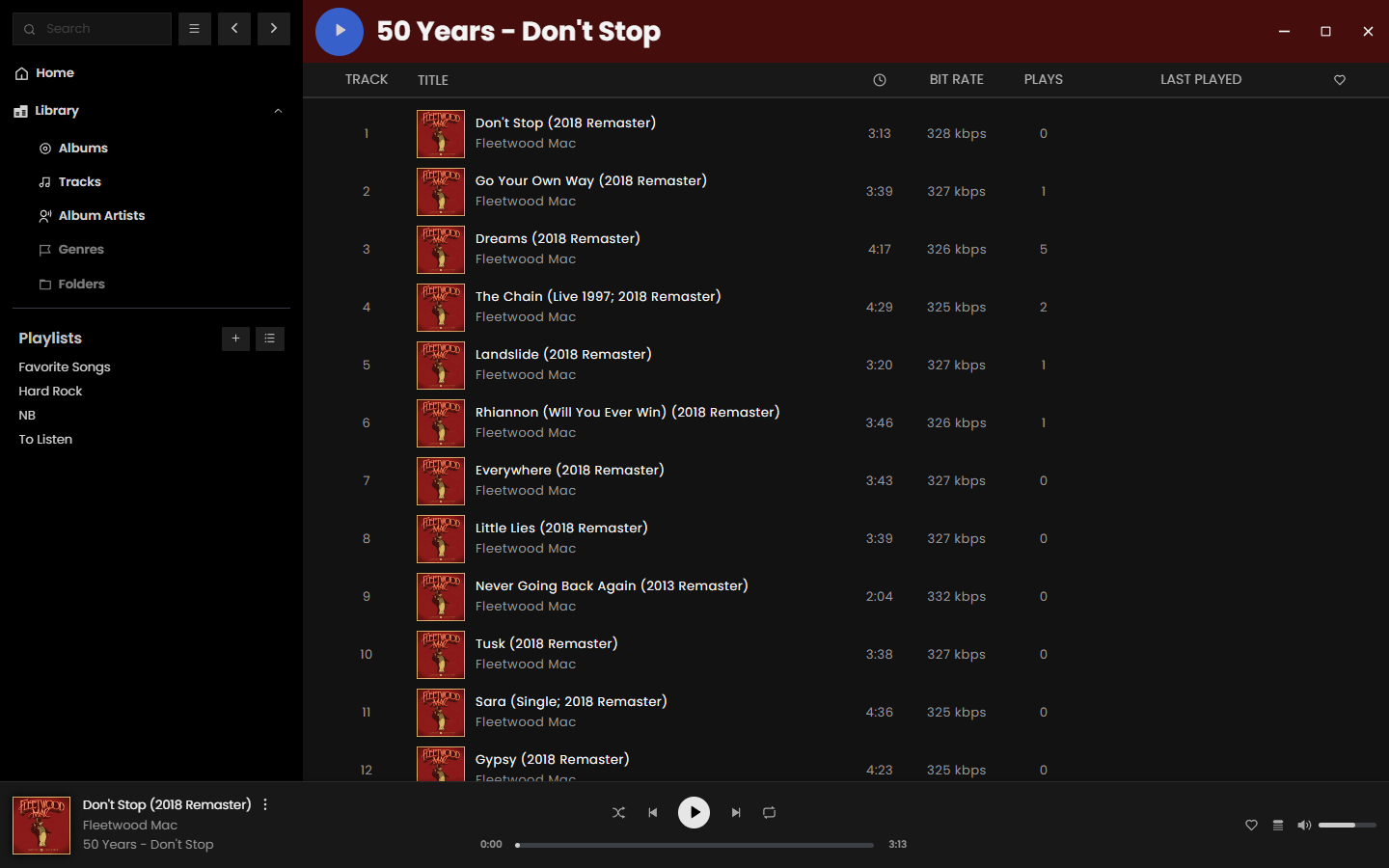
  • Modern library browsing for albums, artists, tracks, playlists, and full-screen playback.
  • Playback scrobbling back to your server so listening history stays in your stack.
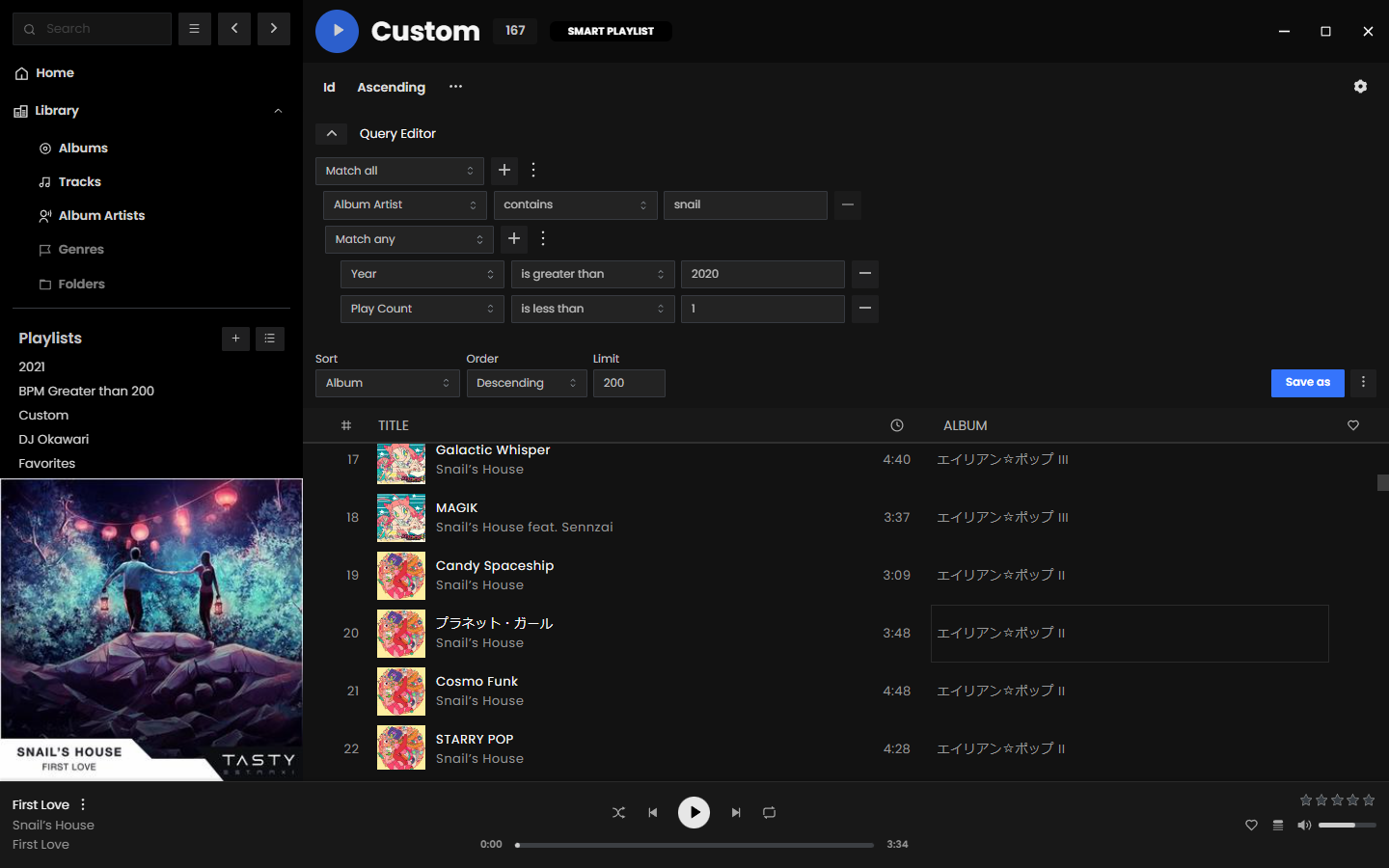
  • Smart playlist editor for Navidrome, useful for dynamic collections and rules-based mixes.
  • Synchronized and unsynchronized lyrics support, with built-in lyrics fetching in the desktop app.

Clear use cases

  • Use Navidrome as your music server and Feishin as the daily desktop player on Linux, macOS, or Windows.
  • Give Jellyfin music users a dedicated interface instead of pushing them through a general-purpose media UI.
  • Run the Docker web client for household access while keeping the music backend private on your own server.
  • Build smart playlists from a large tagged library without relying on commercial recommendation engines.
  • Keep scrobbles, playback history, and library access inside your self-hosted environment.

The biggest strength is the client experience — Feishin feels closer to a modern streaming app than most self-hosted music frontends. Compared with commercial competitors, the tradeoff is that you bring your own catalog and server, but the payoff is control: your files, your metadata, your listening data, and your preferred backend.

It is not trying to replace Jellyfin or Navidrome; it complements them. That makes it especially useful if you already have the server side working but dislike the default music playback experience. The desktop app is the best way to use it, since MPV support and lyrics fetching make it feel more native than a plain web player.

Best for self-hosters, homelab users, and music collectors who already run Jellyfin/Navidrome/Subsonic and want a clean, modern player for a personally owned library.

Topics: the project is tagged with popular topics:

  • 🏷️ jellyfin
  • 🏷️ music-player
  • 🏷️ navidrome
  • 🏷️ self-hosted
  • 🏷️ subsonic
  • 🏷️ subsonic-client

📸 Screenshots

feishin

feishin

feishin

feishin

Quick install

The project supports Docker Compose:

git clone https://github.com/jeffvli/feishin.git
cd feishin
docker compose up -d

Check the README in the repo for required env variables.

Minimum system requirements

Component Recommended
RAM 2048 MB
CPU 2 vCPU
Disk 25 GB SSD
OS Ubuntu 22.04 LTS / Debian 12
Docker 24.0+

⚡ Deploy fast on VSIS

Use the VSIS VPS Lite 2GB RAM / 2 vCPU / 25GB SSD (~104k/tháng) plan from VSIS.NET — high-speed VN-based VPS, 24/7 support, ideal for running feishin smoothly.

🎯 Benefits:

  • One-command docker compose up -d deploy in 2 minutes
  • Dedicated IPv4, root access, unmetered domestic bandwidth
  • Daily snapshot backup
  • Free install assistance from the VSIS team

👉 See matching VPS plans at vsis.net

Resources


Article compiled from GitHub data on 05/05/2026. Star/fork counts may have changed — see live numbers via the GitHub link.